Headless CMS with easy React integration
Managing content should be easy. That's why we spent way too much time and effort on building our own CMS solution. It's not even in alpha, it's full off bugs, and it will be down from time to time. But come on, live a little and suffer with us! Try it it out.
Features
This service is somewhere between a proof of concept and early alpha. We use it for your own websites but there are some bugs and features aren't fully developed yet. Some downtime is also to be expected.
Custom fields
You decide the shape of the content. What fields are shown in the UI are decided with simple custom fields definitions in JSON. These can live in your Git repository and be integrated into an CD/CD pipeline
React hooks
Displaying content on your React website is now easier than ever with our React hooks integration. Just give the useResources hook the folder path and it will load the data for you.
Simple web UI
With an simple and intuative UI, updating content is super easy. The content is organised in a familiar directory structure. You can also invite collaborators and manage users.
REST API
If you aren't using React we also have a REST API you can use. All requests and responses are in JSON. All you need is an API token.
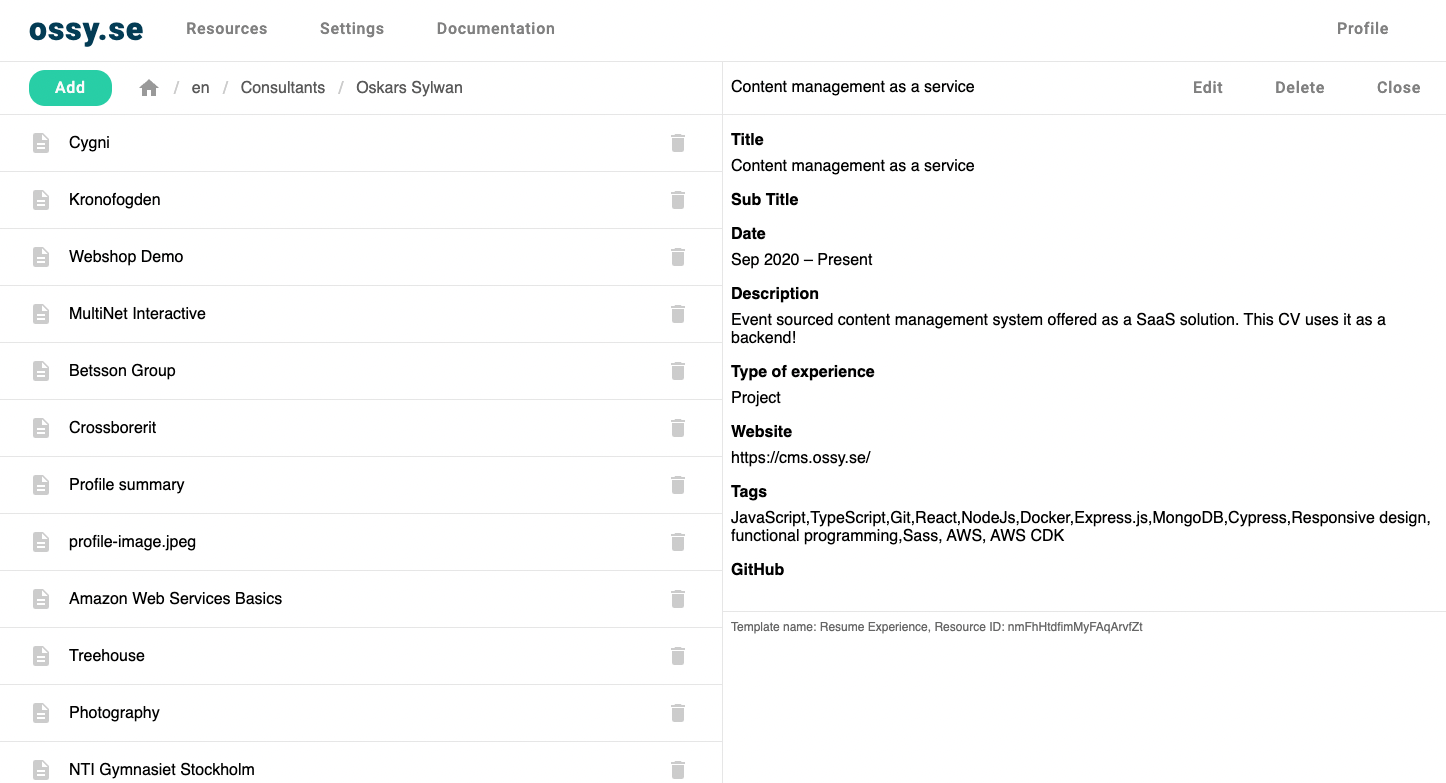
Update content easily through the UI
With an simple and intuative UI, updating content is super easy. The content is organised in a familiar directory structure. You can also invite collaborators and manage users.
Display content on your websites through React hooks
Displaying content on your React website is now easier than ever with our React hooks integration. Just give the useResources hook the folder path and it will load the data for you.
    ```
    // App.jsx
    import { WorkspaceProvider, useResources } from '@ossy/cms-client-react'

    export const App = () => (
      <WorkspaceProvider workspaceId="your-workspace-id">
        <MyComponent />
      </WorkspaceProvider>
    )

    const MyComponent = () => {
      const { status, resources } = useResources('/folder/path/in/cms')

      return status !== 'Success'
        ? <>Loading...</>
        : <>{resources.map(resource => <div key={resource.id}>{resource.name}</div>)}</>
    }

    ```